Recently I have noticed several companies where they are using an @verizon.net or other ISP provided email address for their business. This is the absolute worse choice that you can make when choosing an email address to provide to the public for your business.
I have already had several customers who learned of this first hand, when they moved or changed internet service providers and were unable to take their "business" email address with them.
Unless you work for the ISP, using their domain's email address is NEVER a good idea for your business email.
So what should you do in deciding on your business email address to provide to the public, because you ARE going to need an email address. The fastest, easiest, and free way to go about this would be to get a gmail address such as yourbusinessname@gmail.com. This is NOT the most professional looking, and probably should only be done for businesses that do not yet have an online presence, but its portability for when you move locations or internet providers it is better than using your ISPs provided email address.
Using a free email service such as gmail however does not present the most professional of appearances however, and may make more tech savvy customers skeptical of doing business with you, at least via email. The reason is because anyone can easily set up a free @gmail address and use whatever name that was available. Gmail addresses for business uses should only be used in the start-up phase of your business, or if you rarely communicate with your customers via email.
The best choice for email for your business would be to use your own domain such as yourname@yourcompany.com This provides the most professional appearance to the public, and provides the most legitimacy. Hosting your own email server is probably not the best option for the average business, but fear not you can go to google or many other companies to host your email out on the cloud.

Monday, February 3, 2014


Wednesday, January 29, 2014
Installing CAT5 network, and removing ancient key system
I first arrived at this job to find an ancient key phone system, and a somewhat messy "network" closet.
All of the computers were wired to this closed with long patch cords and hanging all over the place.
All of the computers were wired to this closed with long patch cords and hanging all over the place.
 |
| Existing network and old phone system |
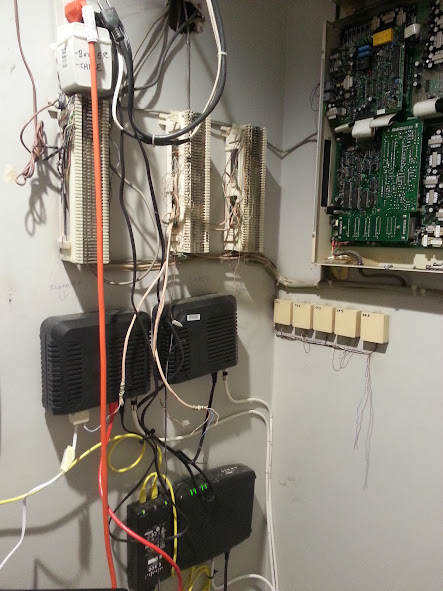 |
| Close up of existing wiring and phone system. |
I usually do not like removing any wiring blocks that previously existed, because it can be difficult to know what is still being used. Many times door relays, fax machines, or other low voltage systems are wired thru on the existing 66 blocks. I do occasionally will remove old phone systems or other no longer in use hardware.
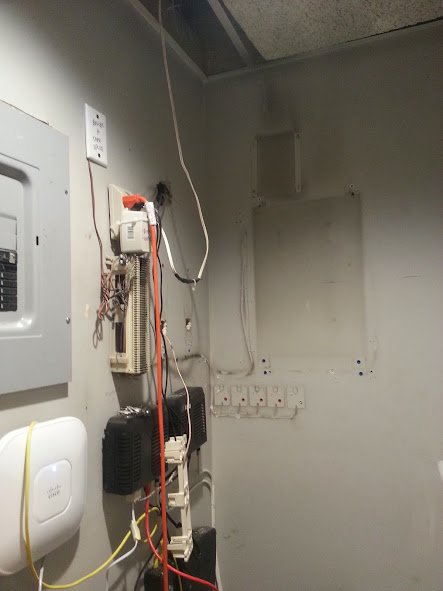 |
| Removed old key system and 2 66 blocks |
In this case the system was never in use by my customer. I was able to date the system to at least 1986 from a date that was stamped on the main board, as well as an inspection sticker located on the housing of the system. I was easily able to determine that 2 of the 66 blocks were only connected to this old system, and the station wiring (which will no longer be used). The other 66 block however appears to have at least some wiring for the door relays and possibly the existing intercom system, so I left that untouched.
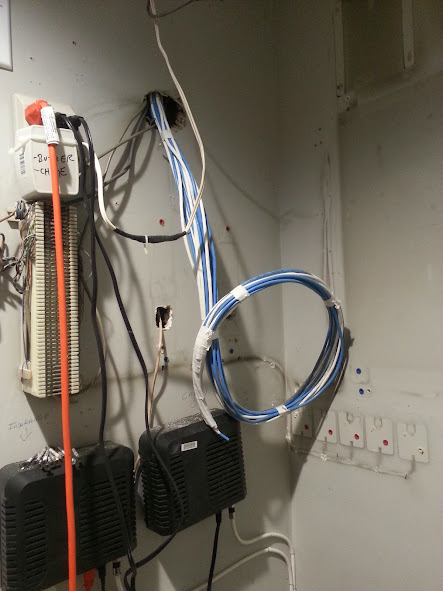 |
| New CAT5 wiring thru existing hole. |
There was plenty of holes in the wall already in the "network" closet, so I just used an existing hole to snake the wire down the wall.
4 additional runs need to be completed, 2 are going 2 flights down and 2 are going directly behind the network room. The patch panels and/or rack still need to be installed, and the switch and router needs to be properly mounted.
UPDATE:
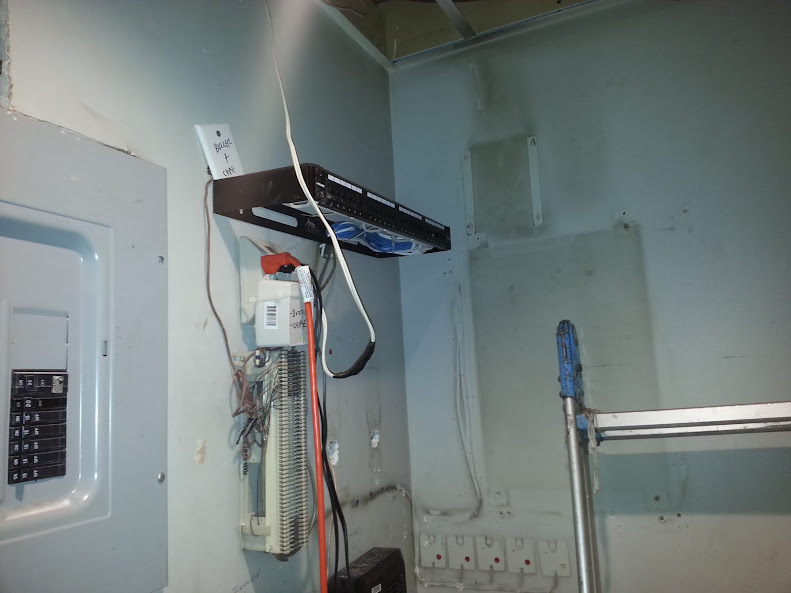
Day 2 brings with it the completion of the job. A 24 port patch panel was installed with a wall bracket. The remaining jacks and wiring was completed, and all jacks were labeled. I also mounted a 16 port switch, but by the time the jacks were labeled the computer tech had already installed his switch and started patching in the network for the PCs.
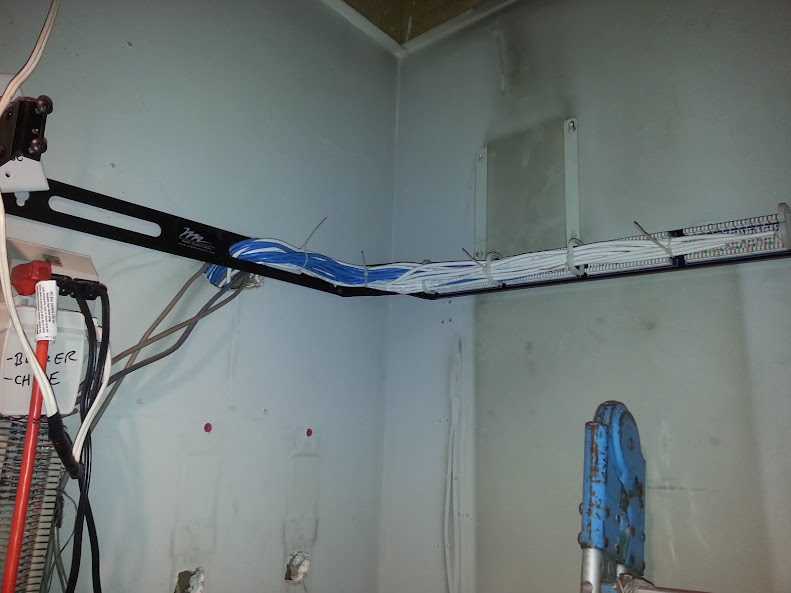 |
| 24 port patch panel all punched down. (20 jacks in total) |
I do need to return to install a wall mount for one of the VoIP phones, as well as a PoE injector because the warehouse phone is not near a power outlet.
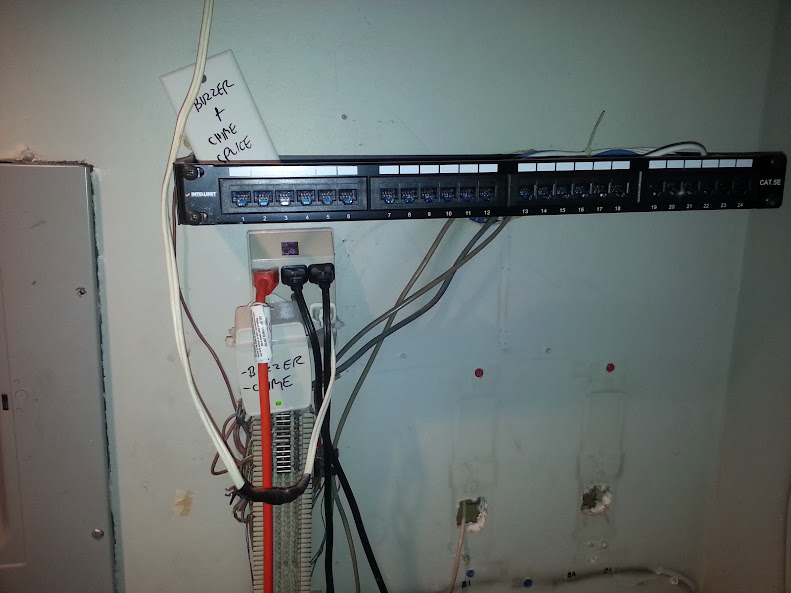
Another thing that did, which I attempt to do whenever there is time is that I printed out a spreadsheet of all of the jack numbers and their locations and left it by the patch panel. This can reduce the amount of time to install or troubleshoot issues - instead of having to crawl behind someones desk to see what number a jack is, the spreadsheet can be referenced to ensure the jack is properly patched into the right switch.
Tuesday, January 7, 2014
UTI-1 installation options
A customer requested information on how to install one of these, so I created these diagrams to assist in the installation.
**The options With an amplifier AND with music: the music does not have to run thru the UTI-1 device, rather it can run thru the amplifier, depending on the type of amplifier that you are using, and its inputs.
** This is a SINGLE ZONE paging interface, meaning even if you have speakers connected to both outputs, all pages will reach all of the speakers connected to this device. For multi-zone paging applications use a UTI-312 instead of a UTI-1. This provides 3 separate zones out of the box, and is expandable 3 zones at a time for a total of up to 12 separate paging zones.
 |
| Overview |
 |
| Self-amplified NO music |
 |
| Self-amplified WITH music |
 |
| Self-amplified, multiple speakers WITH music single speaker NO music |
 |
| WITH amplifier NO music |
 |
| WITH amplifier WITH music |
 |
| WITH amplifier multiple speakers WITH music single speaker NO music |
Friday, November 22, 2013
Does Android 4.3 even exist?
UPDATE 12/1: After several phone calls, Tweets, and emails going back and fourth with Samsung and Sprint the update finally became available to me today on Kies. Not what I was expecting for an update that was supposed to be OTA only! Guess over the next few days I will see if the update was worth waiting over 8 days (or 10 days if you want to count the original release date)
Here is the email that I just sent to the CEO of Sprint, since his employees seem to be worthless.
Here is the email that I just sent to the CEO of Sprint, since his employees seem to be worthless.
I have been manually attempting to update my note 2 to android 4.3 since midnight 11/20 when it was originally released by sprint with no success.last night i called sprint care on the phone, and they advised me to call samsung for the update - obviously your reps were unaware that you delayed the update, this is unacceptable that your reps are not advised of changes in release dates regarding updates.samsung advised me to download kies and manually update to 4.3. unfortunately the update is not available to me on kies for one reason or another.a return call to samsung and i was advised that i needed to contact my carrier, so when i called sprint care back, they WERE CLOSED!!so i took to twitter - and it seems each response is handled by a new person who did not take the time to read the thread and act like it is their first time learning about my struggles - and samsung had no idea that you delayed the release date!! very unacceptable!!i called back to sprint care today, and they give me this whole run around, one rep even told me that he has a samsung S3 running 4.2. I really dont give a fuck what kind of phone or version software your reps have or are using, i want them to resolve my issues, not talk faster than they can think. perhaps someone with fast talking and little knowledge about a product or service might make a decent salesman, but they make a terrible technical support representative.i was eventually advised by your reps that sprint CAN NOT PUSH THE UPDATE!!! they claim that it is samsung who needs to do that!! what a crock of horse shit! samsung delivers the update to YOU, and YOU are responsible to provide it to your customers, samsung has nothing to do with this transaction!but just to cover all bases i contacted samsung to see what they had to say about this, and the fact remains - the update was provided to sprint, and it is sprint's responsibility to push that update to their customers.lets go! get this update sent out NOW! I have spent at least 10 hours over the last 3 days with phone calls, tweets, and attempting to manually update my phone OTA and with kies to no avail. at $50 per hour, that comes out to over $500 of my time that I have spent on something that should be so simple to accomplish within less than 20-30 minutes
Subscribe to:
Posts (Atom)