DUE TO ISSUES WITH GOOGLE PHOTOS ALL IMAGES AFTER AUGUST 2015 ARE NOT SHOWING, I AM TRYING TO FIGURE OUT HOW TO GET THIS WORKING!

Wednesday, May 21, 2014

Cleaning up a network

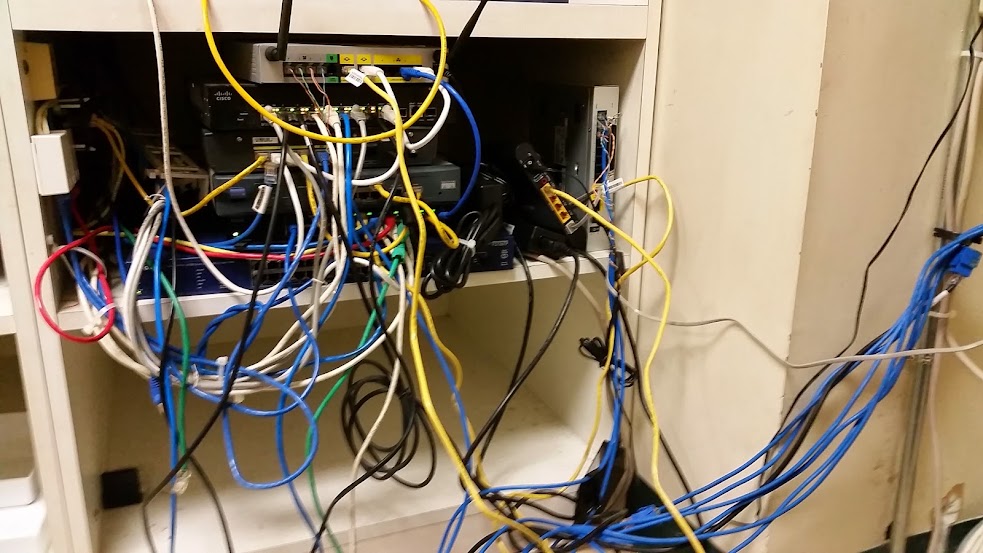
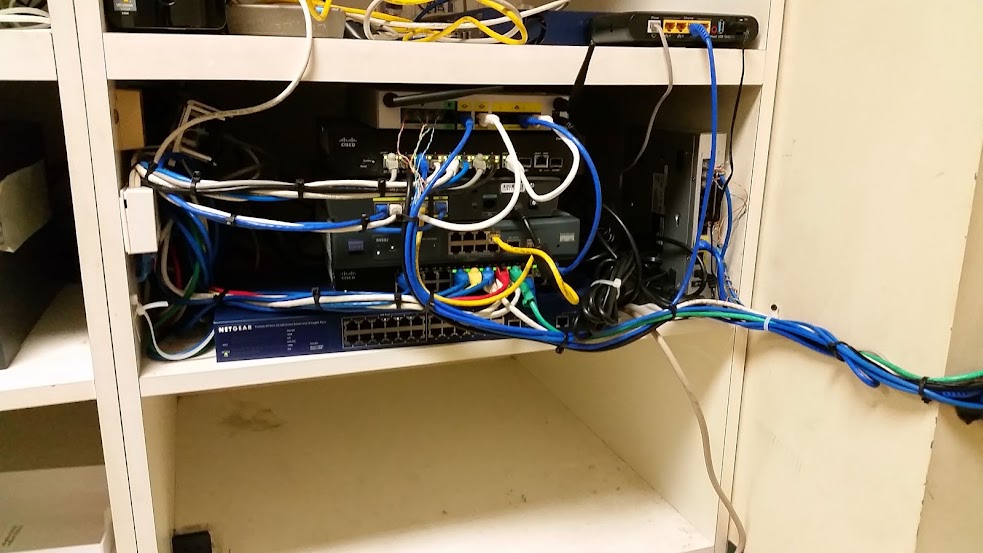
So I had to troubleshoot this network, and it was a mess. So before starting to troubleshoot the network I decided to clean up the mess that their network was.


This is what the network looked like when I arrived. 

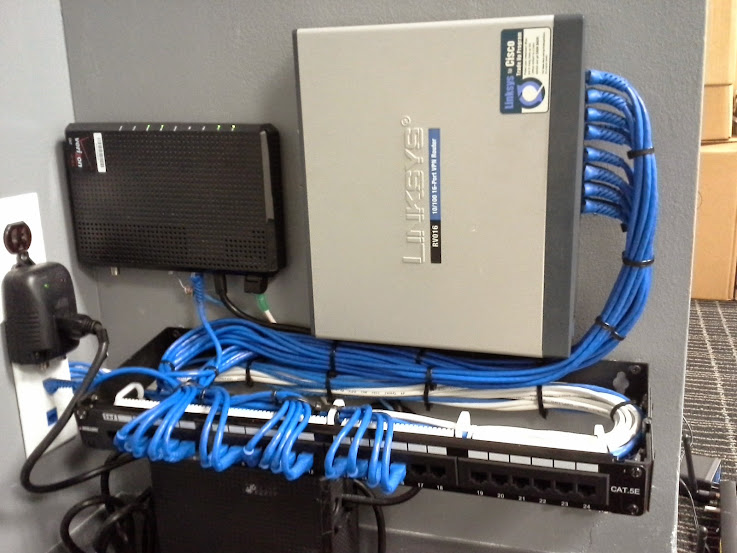
This is the network after about an hour of neatening up the patch cords. 

Once the network was neatened up then I was able to troubleshoot the network. It turns out that every 400 or 500 packets over the cable modem drops a single packet. This would normally go undetected, but it was enough to cause issues with their VoIP service, so I ended up sending the VoIP traffic over the DSL line and keeping the cable connection for a back up for the VoIP (as well as the data network)


Monday, April 28, 2014

Replacing RV016 router with an SRP series router and 16 port switch

One of our customers had a defective multi-WAN router. For some reason whenever something was connected into the WAN2 port of the router the speed would dramatically reduce, even if all of the traffic was being sent thru on the WAN1 port.
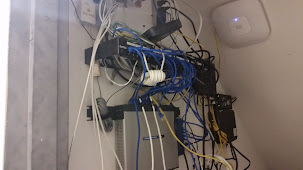
The network as it existed before I began work.

Since this customer has 2 internet connections leaving WAN2 disconnected would not work, also since we no longer use RV routers a switch would have to be added.

Since the network was a bit messy I took this opportunity to install a vertical 4 space mount on the wall.
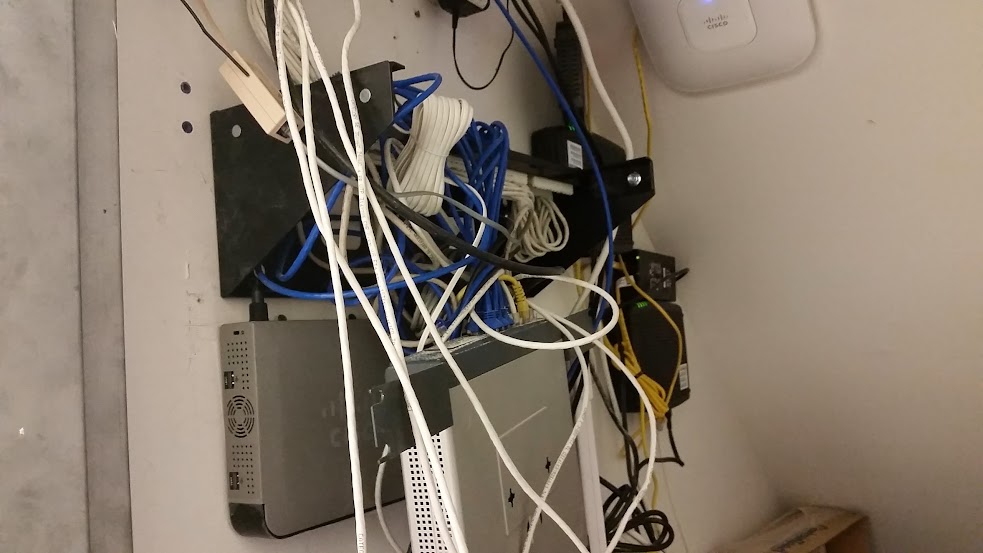
Halfway thru.
SRP router mouted on the wall,
vertical 4 space mount installed
DSL connected to SRP router.

I removed the patch panel mount and installed it into the vertical 4 space mount, and installed my SRP router below.
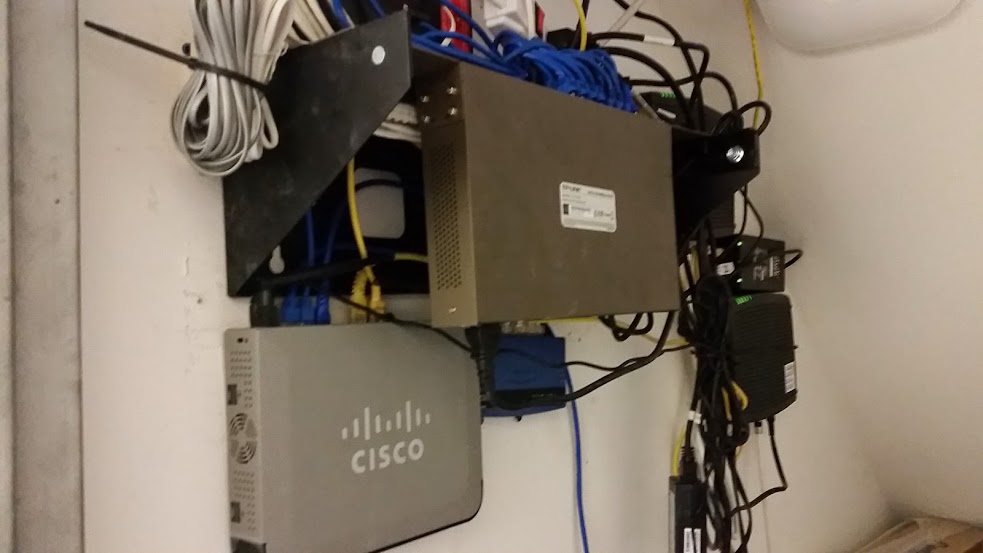
Everything mounted and patched in.
In the background (black boxes and wires) is the cable modems
which I did not touch or modify the existing wiring configuration in any way.

I am really starting to like these vertical mounts and will probably be using them more frequently instead of taking up a ton of wall space mounting hardware all over the wall.

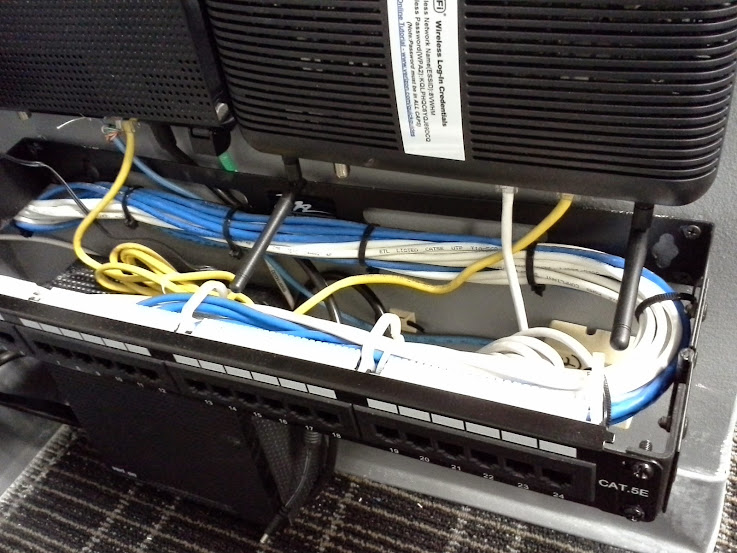
I really only *needed* a 2 space mount, but a 3 space mount would have been ideal. The reason I opted for the 4 space mount instead of a 3 space is that there was only a $5 price difference, so this provides an additional space for future expansion. I used one of the spaces to let the wires pass behind the patch panel since the wires are coming in from above.
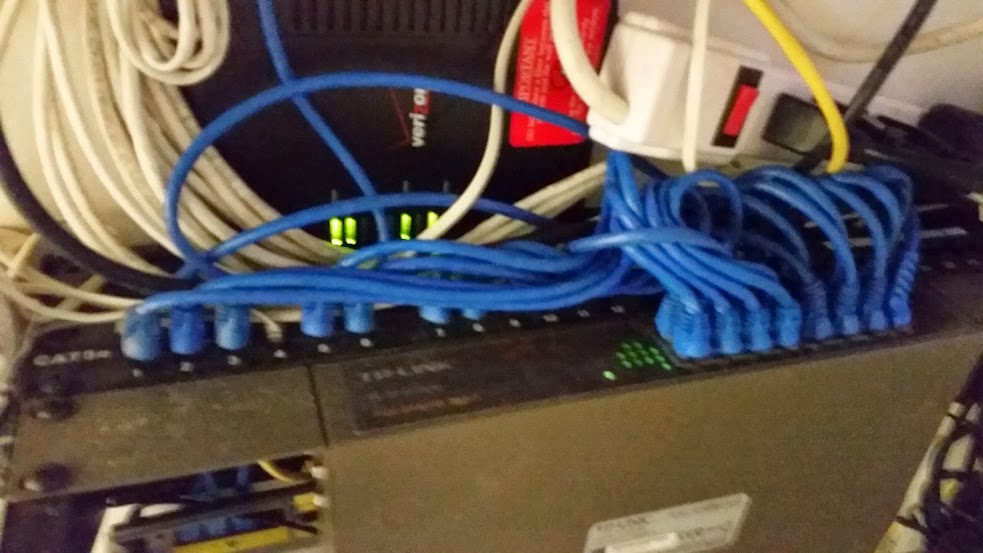
The view from above. 16 port TP link switch patched in,
DSL modem and surge protector resting on lip of bracket. 

The job is not as neat as it would have been had I started everything from scratch, or had I been permitted to take down the entire network for a few hours. However it is much neater and more manageable then it was when I first arrived to replace the router and add the switch. 

All in all it took aprox. 3 hours because some settings had to be migrated from the old router in order for the PCs to be able to communicate with the local server. 

If I would have just changed the router and switch I probably could have gotten out of there within an hour, but I wanted to clean up some of the mess in the closet so that it will be easier to work on this network in the future. 

Friday, April 25, 2014

New 16 jack network + FiOS router replacement

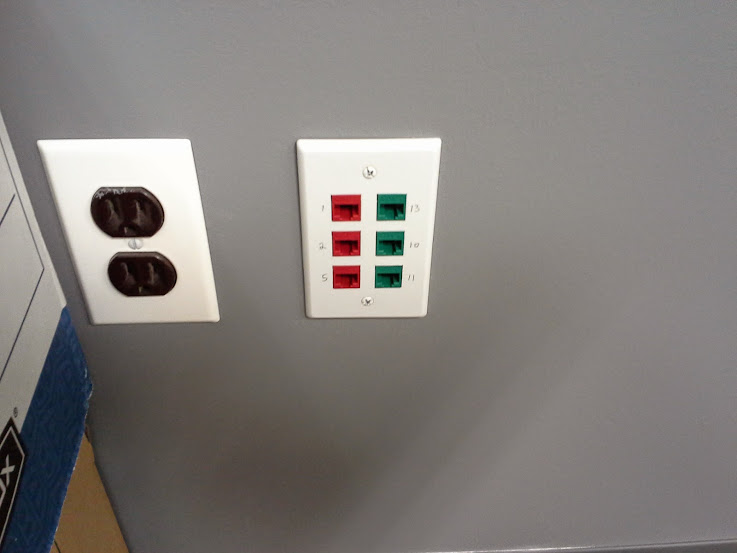
While we were installing the network with the enclosed rack from THIS post we also built a new network for the adjacent office. As these 2 offices were within the same main office space, I used different colors to differentiate the two networks. The main network from the other post had blue and white network jacks. This network uses red and green network jacks.


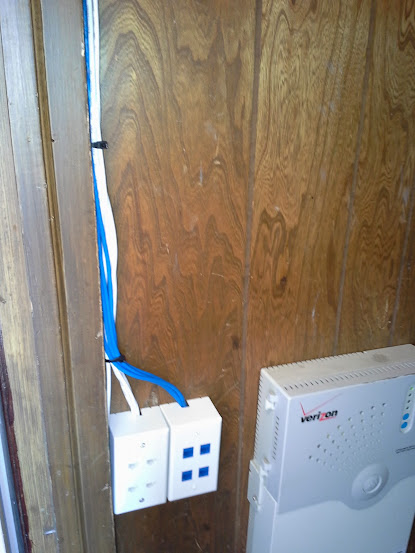
Patch panel installed - and Verizon installed their FiOS equipment. 
The reason for using different colored jacks for this network compared to the other was that they are in a shared office space. If at any point in the future they move out of this office space the future technician or tenants should easily identify that these are separate networks  where the patch panel is located in 2 different locations within the office.
Red and Green network jacks. 
There was 2 jacks in this office originally that went to the main patch panel for the entire office. I moved those 2 jacks over to where the new patch panel is located so that there are 2 CAT5 runs that run between the patch panels. This will be useful in the event that the internet for one company goes down, they can temporarily share an internet connection - or for any other reason that something needs to be shared between the networks.
Another angle of the panel and Verizon installed equipment.
Back up battery on bottom
Desktop ONT top left
Crap actiontec router top right.
We generally never use the provided router that Verizon provides with the FiOS services. We usually replace them. In this case this was an existing customer who had a Linksys/Cisco RV016. In order to replace the Verizon provided router you need to have the DHCP lease released from the Verizon router. This was done this time by disconnecting the Verizon router upon arrival. By the time we were ready to install our router the DHCP lease had expired and we were able to replace it with the customer provided router. Occasionally you may need to call Verizon to release the DHCP on the circuit in order to replace the router.
Crap Actiontec router that verizon provides removed,
customers Linksys/Cisco RV016 router installed directly to ONT
and all patched in. 
Another angle of completed panel patched in. 


Thursday, April 10, 2014

small 8 jack network

What's the first thing that we do when we go to a business location that has FiOS installed? That's right, get rid of that crappy router that they install and replace it with a real router!

This customer just moved into a new location and I had to install network jacks for 4 desks. 1 jack for computers, and 1 for the IP phones that I had to install. 

Instead of a patch panel due to the small amount of jacks
and attempts to maximize useable space in the closet
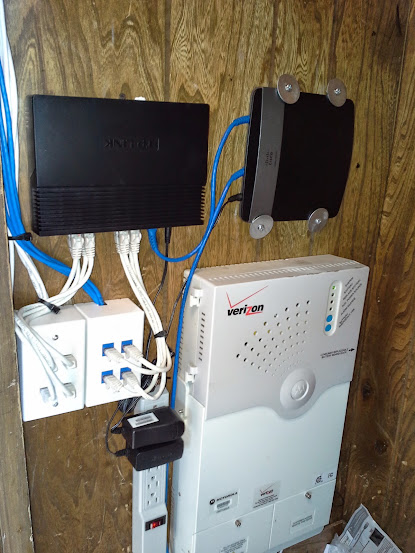
I used 1 gang surface mount boxes.

While I was doing the wiring I decided to unplug the power to the crappy router that Verizon provides hoping that the IP address would release in the time it took me to finish the wiring and get to installing the new router. Happily this method worked, so I did not need to spend any time waiting on hold with Verizon to get them to release the IP address so I could replace the router!

Everything mounted inside a closet directly next to the FiOS ONT.
Installed
16 port TPlink switch
E2500 router
Surge protector 
Once the wiring was installed, tested and labeled I mounted a 16 port TPlink switch, a Cisco E2500 and a surge protector (power came in on the oppisite side of the closet wall so I had to drill a hole to get the plug connected on the other side of the wall.)

I Wish whoever designed the E series of routers for Cisco would have had some common sense or real world experience installing networks as there is no good way to wall mount this router. I used long screws and fender washers to mount it. 

Start to finish was aprox. 3 hours: Running 2 CAT5 wires to 4 different locations, punching down testing and labeling, installing the router and switch, installing the phones AND activating the FiOS since the customer had not yet done so.